> ## Documentation Index
> Fetch the complete documentation index at: https://docs.databar.ai/llms.txt
> Use this file to discover all available pages before exploring further.
# Workspace settings
> Configure your workspace and manage preferences.
The workspace settings page is where you manage workspace-level configuration, including billing, team access, and usage preferences.
## Accessing settings
Click the **arrow** next to your workspace name in the top-left corner, then select **Workspace Settings** from the dropdown menu.
## Workspaces and the workspace switcher
Every Databar user has their own **personal workspace** that is created automatically when they sign up. This personal workspace is on the free plan by default.
When someone invites you to a team workspace, you gain access to that workspace's plan, credits, tables, and features. However, you still land in your personal workspace when you log in. To access the team workspace (and its paid features), you need to switch to it.
### Switching workspaces
Click the **arrow** next to your workspace name in the top-left corner. At the bottom of the dropdown, you will see all workspaces you have access to. Click on a workspace to switch to it.
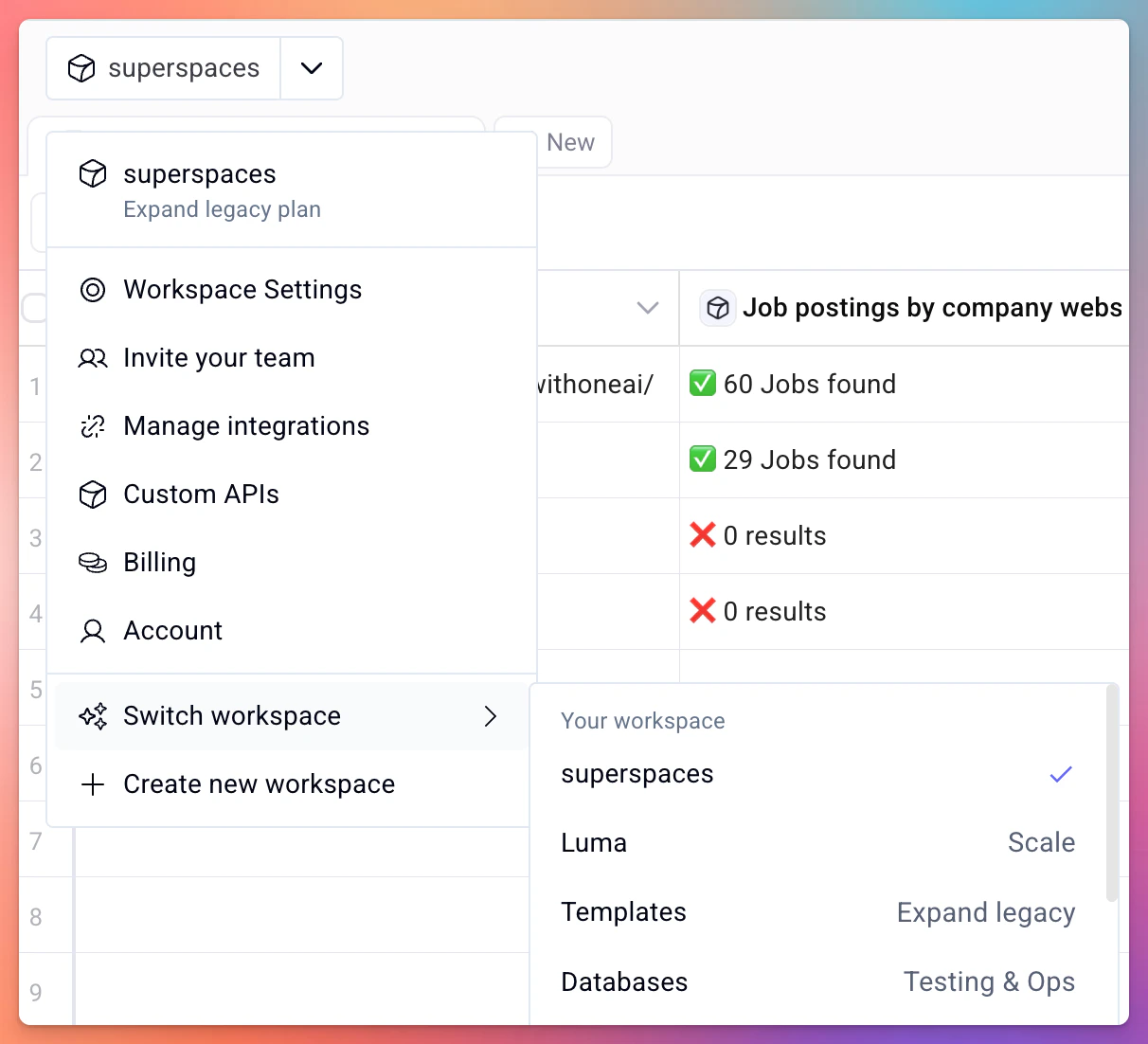 If you were invited to a team workspace but don't see the features or credits you expected, make sure you have switched to the correct workspace. Your personal workspace is separate and runs on its own (free) plan.
## Team and collaboration
If your plan supports multiple seats, you can invite team members to your workspace. Team members share all tables, folders, enrichments, and the workspace credit balance.
Learn how to add team members to your workspace
## Related
Understand credit costs and purchase add-ons
Get notified when your credit balance is running low
If you were invited to a team workspace but don't see the features or credits you expected, make sure you have switched to the correct workspace. Your personal workspace is separate and runs on its own (free) plan.
## Team and collaboration
If your plan supports multiple seats, you can invite team members to your workspace. Team members share all tables, folders, enrichments, and the workspace credit balance.
Learn how to add team members to your workspace
## Related
Understand credit costs and purchase add-ons
Get notified when your credit balance is running low