

 MCP Server
Databar runs the MCP server for you at
https://mcp.databar.ai/mcp, so your client always talks to the current implementation without installing or upgrading anything locally.Quick start
The MCP server URL for all clients:- Claude (recommended)
- Cursor
- stdio-only clients
The recommended way to connect Claude is through the built-in Connectors UI. This uses OAuth so you never need to copy an API key.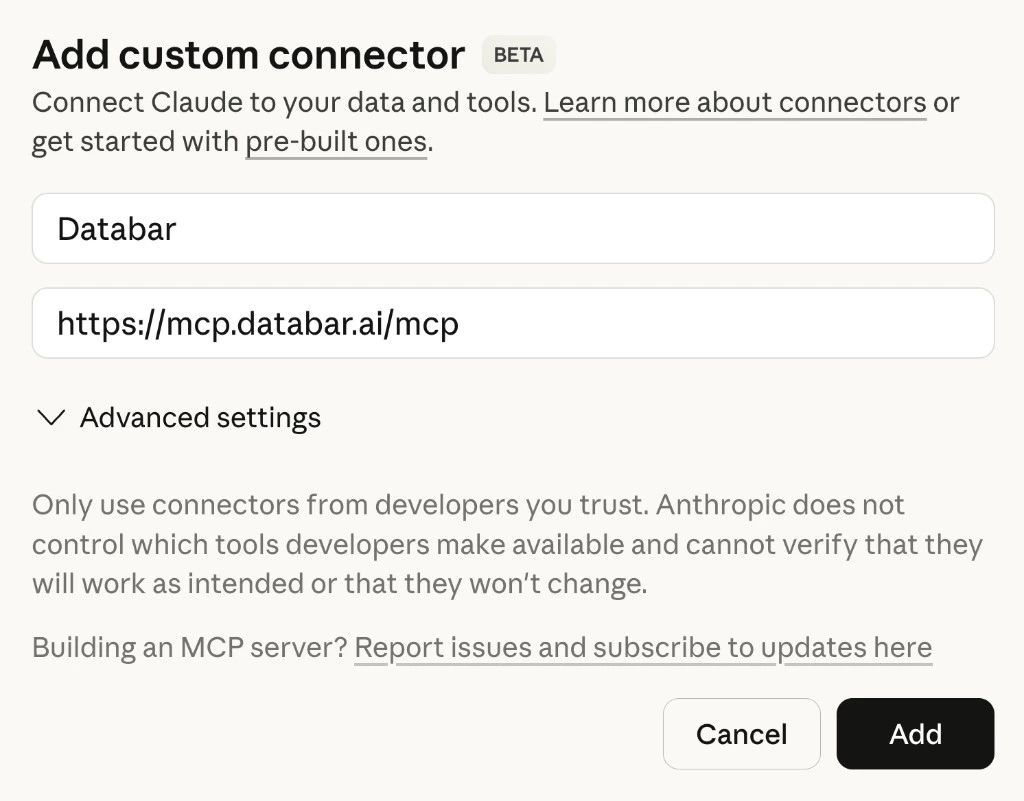
1
Open Connectors
Open Claude (web or desktop) and go to Settings > Connectors. Scroll to the bottom and click Add custom connector.
2
Enter the server details
- Name:
Databar - Remote MCP Server URL:
https://mcp.databar.ai/mcp - Leave Advanced settings blank.
- Click Add.
3
Authorize
Claude will redirect you to Databar to authenticate. Click Authorize to grant access to your workspace, then you will be redirected back to Claude.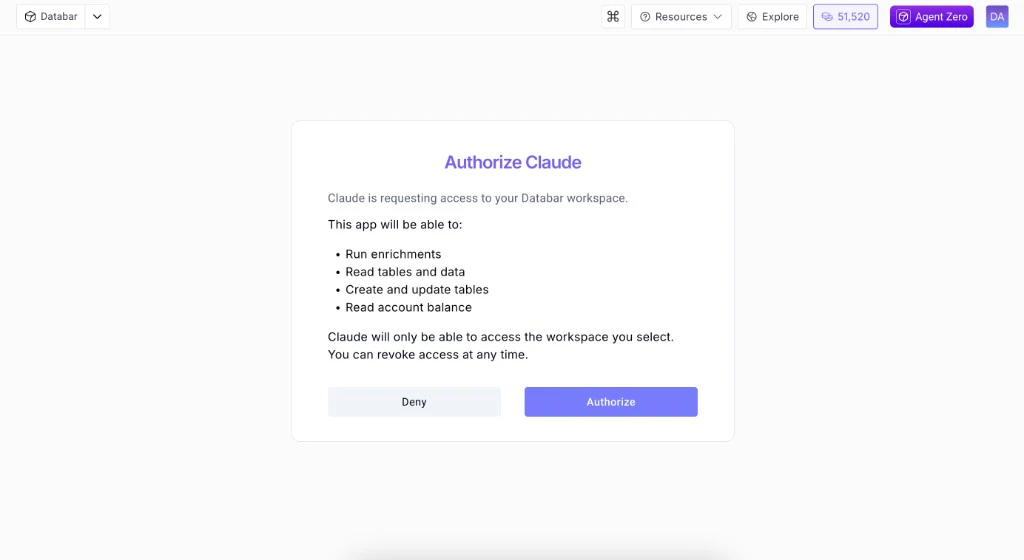
4
Try it
Ask Claude: “What can the Databar MCP do?”
Alternative: JSON config with API key
Alternative: JSON config with API key
If you prefer to authenticate with an API key instead of OAuth, add this to your Claude Desktop config (Restart Claude after saving.
~/Library/Application Support/Claude/claude_desktop_config.json on macOS):What you can do
The hosted server exposes a large set of tools aligned with the public Databar REST API. The list below reflects the current surface area (tool names and behavior may expand as we deploy updates to the hosted endpoint):Enrichments
Search, inspect, run enrichments — single or bulk. Remote param choices and pagination-aware runs.
Waterfalls
Search and run headless waterfalls; add table waterfalls and run them with enrichments.
Tables & columns
Create, rename, duplicate, clear, export, or dedupe tables; add, rename, reorder, or delete columns; configure enrichments and exporters on a table.
Workbooks & trash
List and edit multi-sheet workbooks, move sheets between them, and restore or purge Trash.
Rows & folders
Insert, patch, upsert, delete, and filter rows; create and manage folders; move tables between folders.
Exporters
Search exporters, inspect details, attach to tables, list configured exporters, and trigger runs.
Account
Check credit balance. Paid runs check the balance first and ask for confirmation at 50 credits or more.
Available tools
Full list of all MCP tools with descriptions.
Configuration
Authentication, spending guardrails, and task expiry.
Example prompts
Here are some things you can ask your AI assistant once the MCP server is connected:- “Get me David Abaev’s LinkedIn profile”
- “Verify the email david@databar.ai”
- “Find the email for John Smith at Google using a waterfall”
- “Enrich these 10 domains with company data”
- “List my tables and show the columns for the first one”
- “Create a table called Leads with columns name, email, company and add 5 empty rows”
- “Get rows from my Leads table where company contains ‘tech’”
- “How many credits do I have left?”
Links
Hosted MCP
Always up to date
Agent Skills
Workflow skills for your agent