

 MCP Server
Credits
To make the experience of using Databar as easy as possible, we partnered with 100+ data providers to offer keyless access to their data. With Databar you can access all APIs and data sources that are part of the API Network without needing an API key or additional forms of authorization. Credits are only consumed when you use Databar’s credentials to access a third-party data provider through the API Network. If you bring your own API key or use Custom Http APIs, no credits are used. For example, you can use API Network credits to connect to both BuiltWith for tech stack data and to People Data Labs for emails.Variable pricing
Each data source prices its data differently, which is why some connectors can cost 4 credits per run and others 20.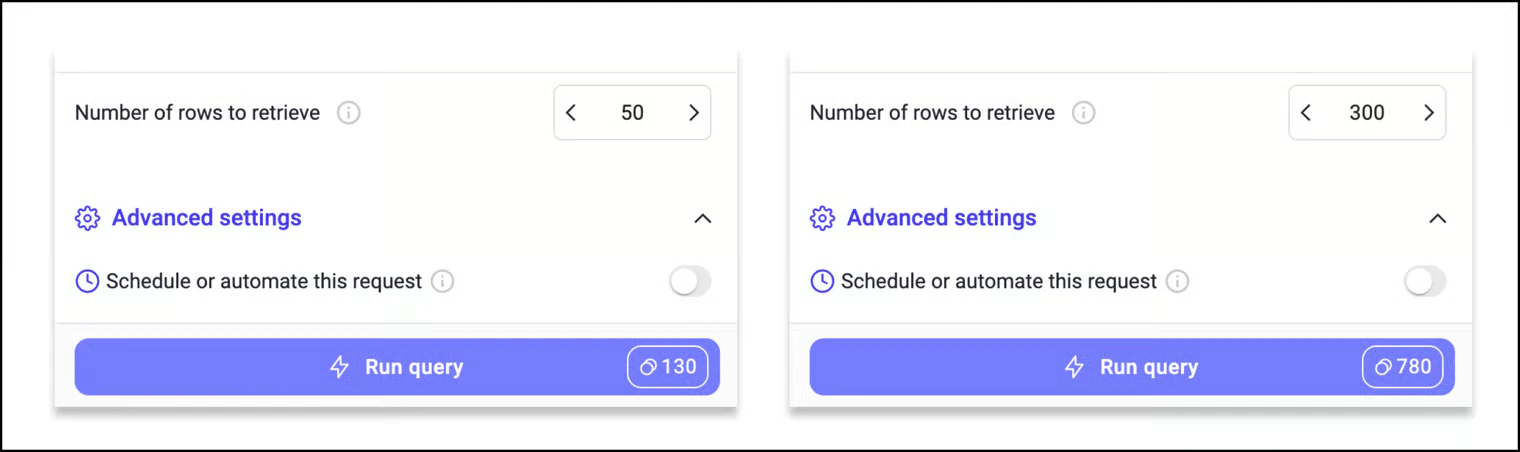
How credits are billed with enrichments
The cost for enrichments is on a per-row basis: Total price = Base cost per row x Number of rows to be enriched Before running, the enrichment sidebar shows an expected total price so you can confirm before committing.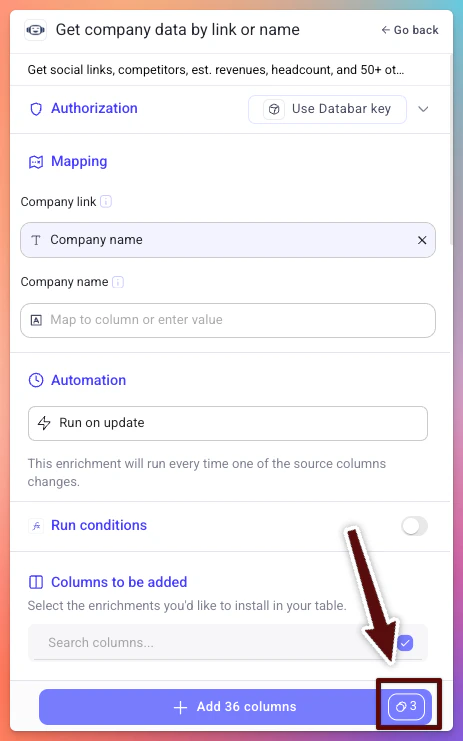
Purchasing additional credits
Each plan on Databar comes with a certain number of API Network credits. However, you can also purchase credits as add-ons from your workspace settings. Credit add-ons are added to your current billing cycle and roll over based on your plan terms (see below).Credit rollover
Credits roll over to the next billing cycle, so unused credits are not lost at the end of each month.- Annual plans receive their full 12-month allotment of credits up front. This is a significant benefit, as you have your entire year’s credits available from day one to use at your own pace.
- Monthly plans roll over unused credits for one additional month. Any credits still unused after that extra month will expire.
Actions
Actions are meant for usage towards any requests that are not using the Databar API key. Think of an action as similar to a “run” or a “zap” on Zapier. Actions are consumed in the following situations:- If you make requests to OAuth connectors (for example, HubSpot or Salesforce integrations)
- If you make requests to free APIs
- If you make requests with your own API key
- If you make requests to custom-added APIs
Plans and pricing
Databar offers multiple pricing tiers. All plans include keyless API access through the API Network. The difference is in the number of credits, actions, and features included. For current pricing details, visit databar.ai/pricing.Low credit alerts
You can set up email notifications that fire when your credit balance drops below a threshold you define. See the dedicated Low credit alerts page for setup instructions.Related
Workspace settings
Configure alerts and purchase credits
User info API
Check your credit balance programmatically