

 MCP Server
Deduplicate by a single column
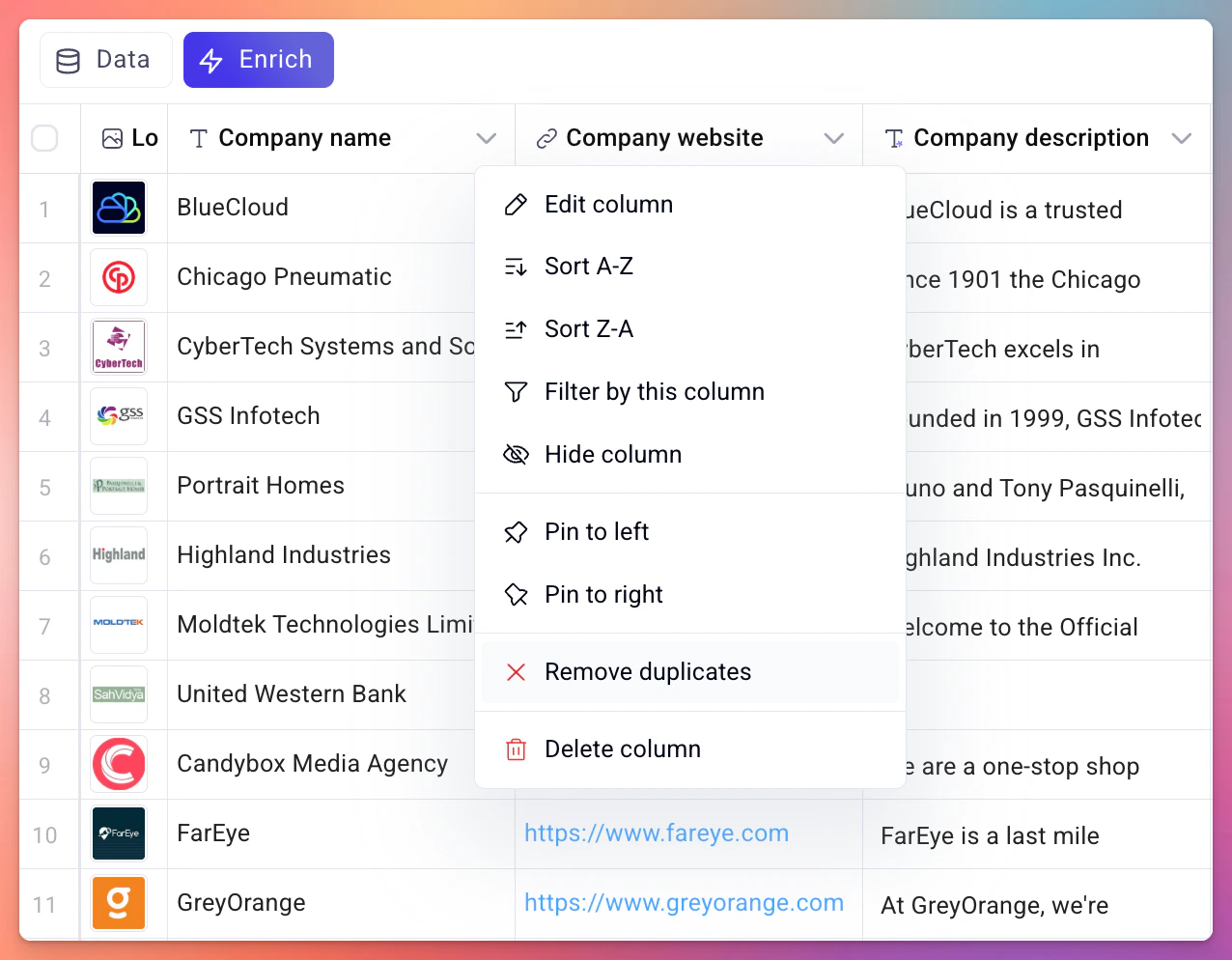
You can remove duplicates based on one specific column directly from the column header.- Click on the column header you want to deduplicate by.
- Select Remove duplicates from the context menu.
Remove all duplicates at once
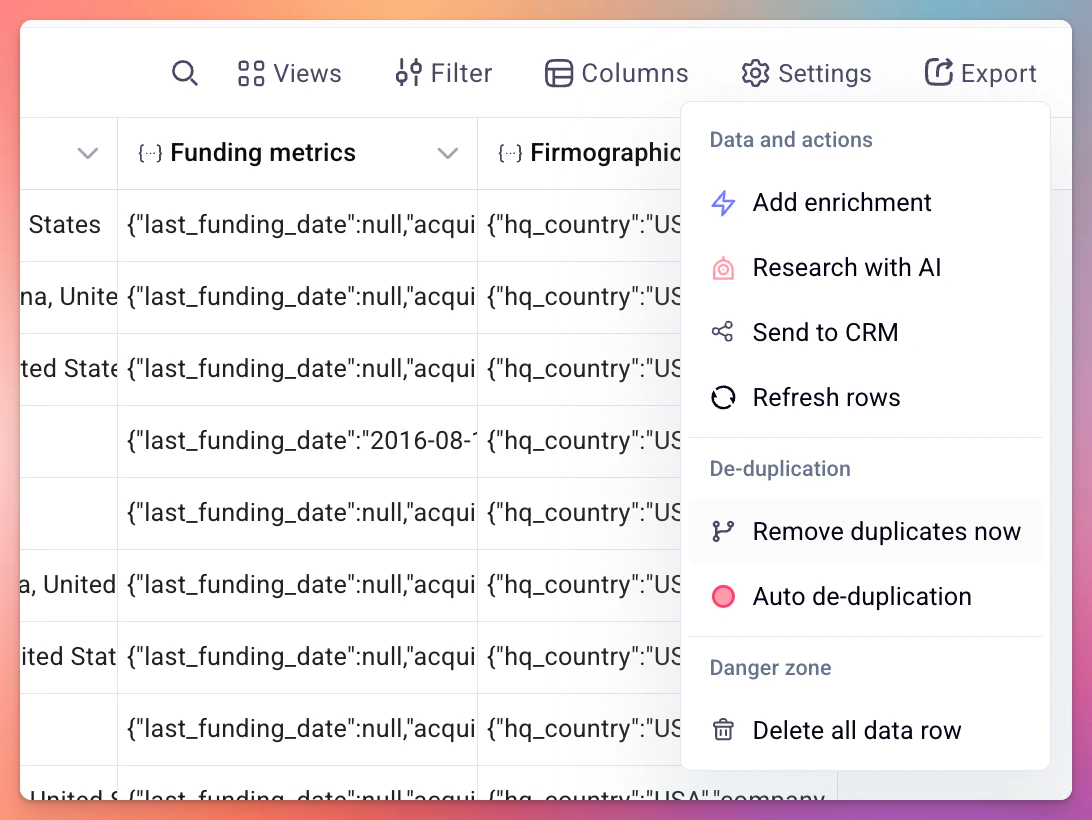
You can also run a one-off deduplication check across all columns in your table.- Click the Settings button in the table toolbar.
- Under the De-duplication section, click Remove duplicates now.
Auto de-duplication
Auto de-duplication runs continuously in the background and prevents duplicates from being added to your table in the first place. You can turn it on and off at any time. To set it up:- Click the Settings button in the table toolbar.
- Click Auto de-duplication.
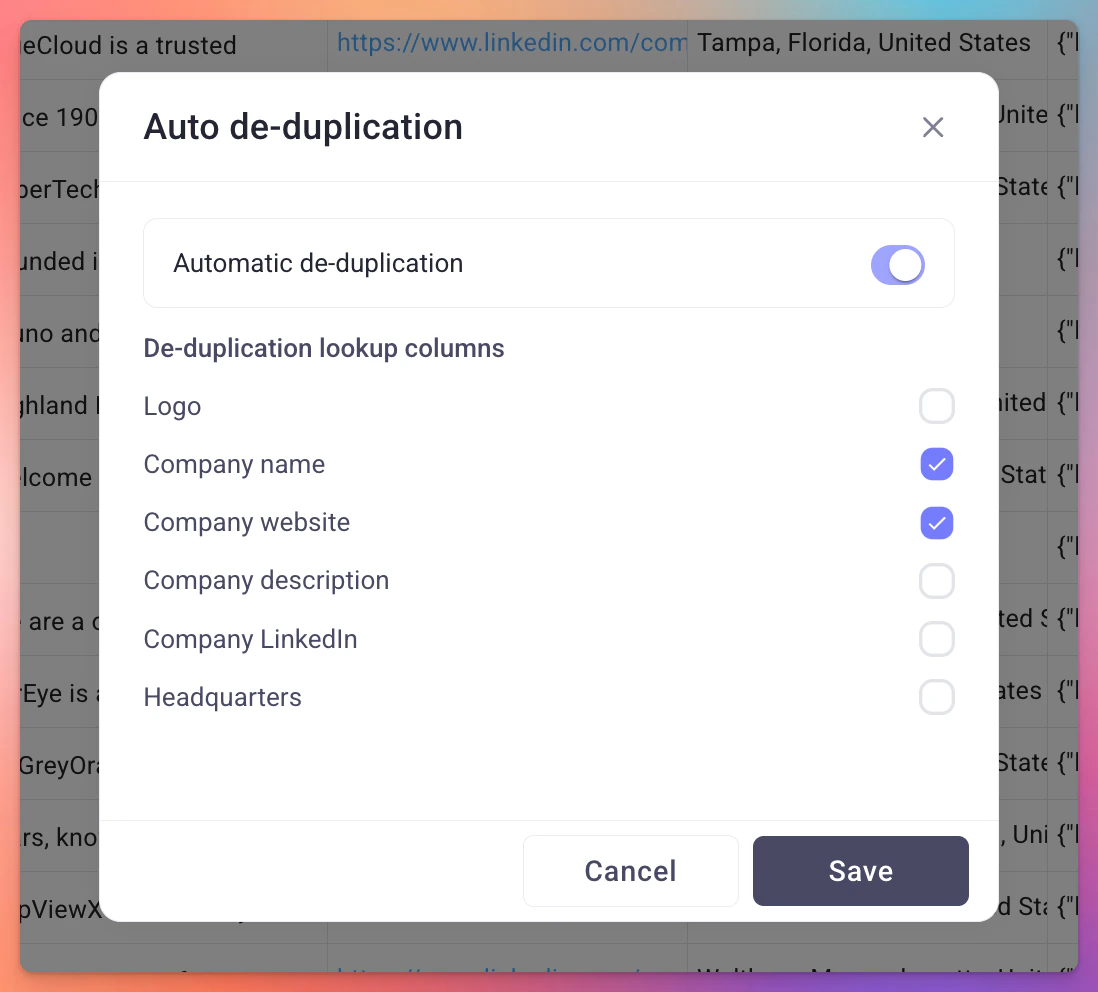
- Toggle Automatic de-duplication on.
- Select the columns you want to check for duplicates. You can pick multiple columns.
- Click Save.
How auto de-duplication works
When you save your auto de-duplication settings, Databar immediately runs a “remove all duplicates” operation on the selected columns to clean up any existing duplicates in the table. From that point on, it checks incoming data on a rolling basis before it enters the table. If a new row matches an existing row on any of the selected columns, it is blocked from being added. The order of operations matters: the table checks for duplicates first, cancels any duplicate rows, and only then runs enrichments on the remaining new rows. This means you never waste credits enriching data that would have been removed as a duplicate.When to use auto de-duplication
- Tables that receive continuous data from webhooks, imports, or scheduled runs
- Lead lists where you want to avoid contacting the same person twice
- Any table connected to an automated pipeline where duplicates could accumulate over time
Comparing the three options
Related
Tables overview
Learn how tables work in Databar
Import data
Bring external data into your tables